
RowPro 5 Multi
for Windows and Mac

RowPro 5 Multi
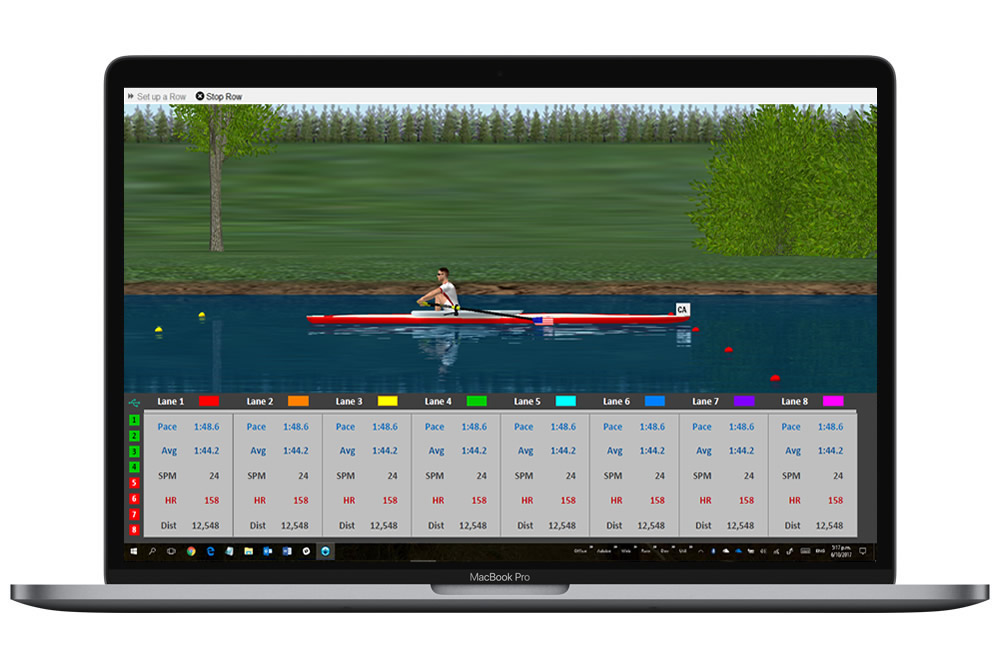
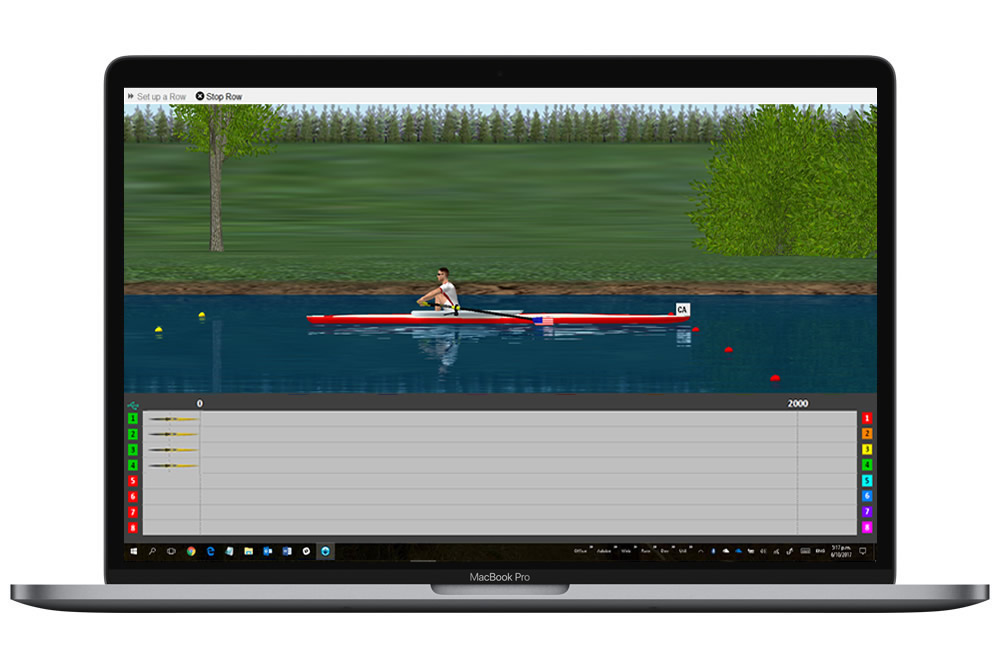
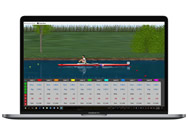
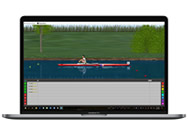
Connect up to 8 Concept2 ergs via USB for group training or racing. Choose the Training display to track performance onscreen of all connected ergs. Choose the Race display to see both the true 3D display and the 2D racetrack display on the same screen.

How RowPro Multi transforms coaching
RowPro Multi extends the standard RowPro functions to enable up to 8 Concept2 ergs to be connected for offline group training or racing. You just download and install it from our website and activate it with a free trial or a product key.
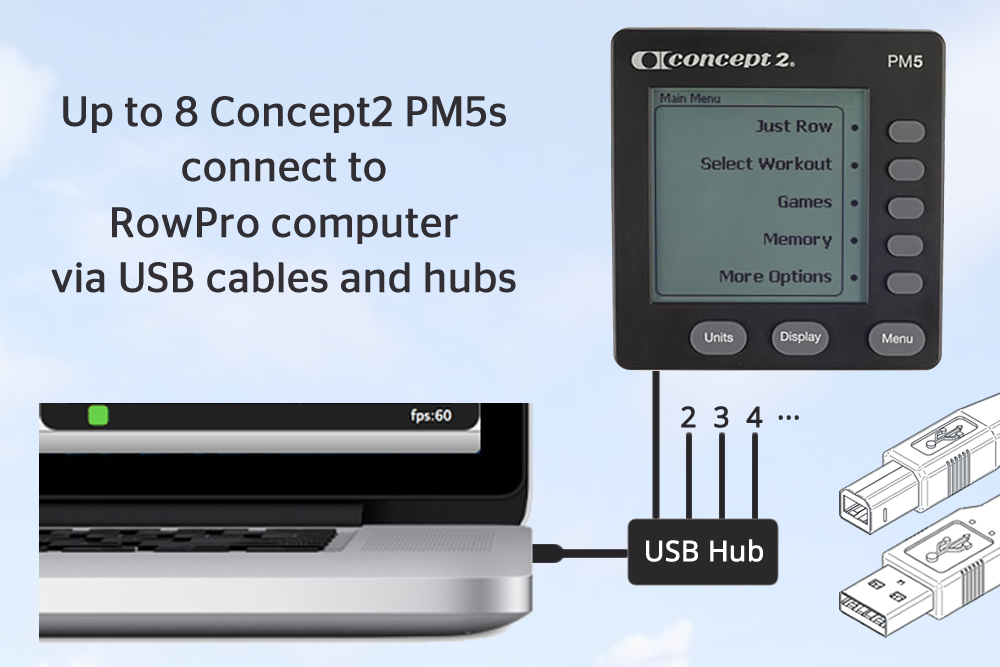
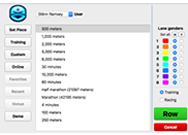
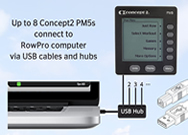
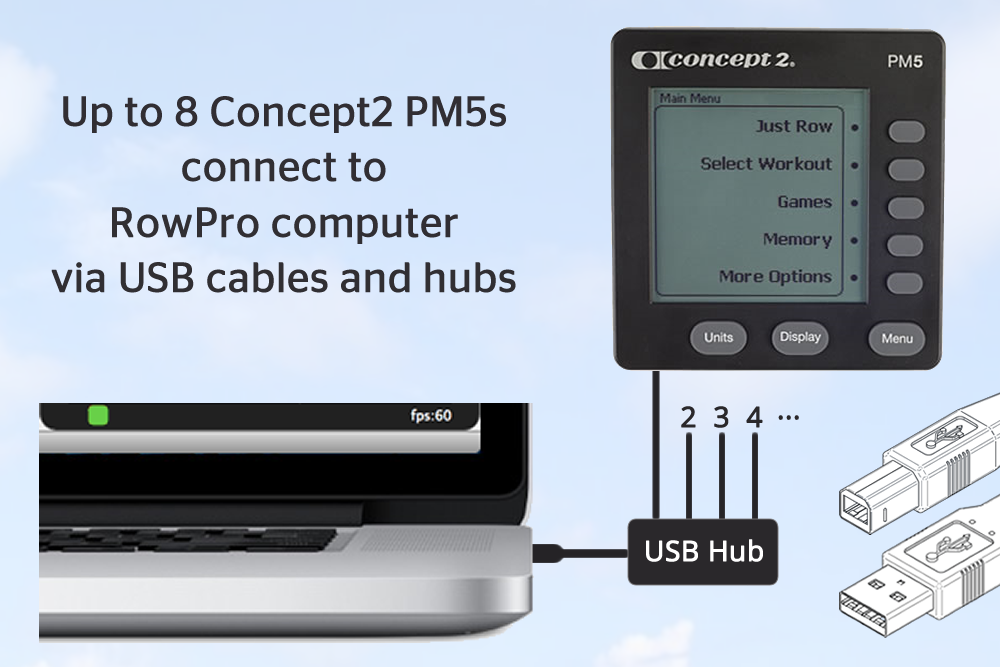
RowPro Multi connects to your Concept2 Performance Monitors (PMs) with standard USB cables and mains-powered USB hubs. When you start RowPro, all the connected PMs are shown in the RowPro PM Assistant, where you can configure and save their floor layout. Next you open Set up a Row to set up either a training row or a venue race, and click Row. RowPro sets up the row on all configured Concept2 PMs, and you start the row.
The upper part of the display shows a full 3D course where the 8 boats have distinct preset colors. If it's a training row, across the bottom of the 3D on-water display you'll see a live stream of data from all the configured PMs. If the rowers wear a heart rate monitor that's connected to their Concept2 PM, you can see their heart rate in the training display while they row.
If it's a venue race, across the bottom of the 3D on-water display you'll see a 2D auto-scaling 8-lane course that accurately shows the relative boat positions along up to 1,000m of the course. Once the row starts, each rower can track their own progress on the Concept2 PM directly in front of them, including meters ahead/behind. When the row finishes, each rower's final results are listed on a finish form on the RowPro display and are automatically logged.

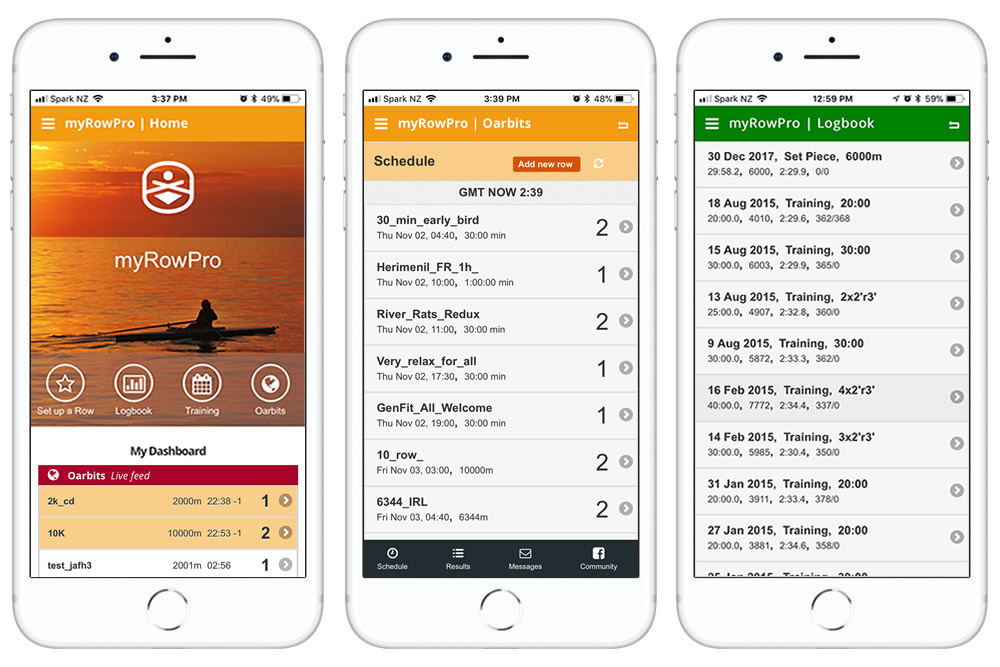
RowPro automatically captures every stroke from every boat and uploads the results to your online rowing log. From there you can rename each boat's result, or copy or move it to the online logbook of one of your RowPro Multi users. For each result you can see splits and charts of the performance, and you can compare results to previous rows. You can also export rows automatically or one-by-one, direct from your RowPro online logbook to your Concept2 Online Logbook. There's also a growing number of other destinations where you can export your results.
RowPro also has a 3D coaching clinic where Olympic Rowing Coach Brian Hawthorne coaches excellent stroke technique. Brian worked closely with our graphics designers to 'train' the RowPro 3D avatar to row at an elite level. The coaching clinic shows a mouse-rotatable 3D animation of the rowing stroke in slo-mo and at normal speed.
The fastest and most effective way to learn to row properly is to watch excellent technique before taking the first stroke. This is especially true for kids. The 3D coaching clinic and Brian’s clear coaching notes enable coaches to very efficiently train newbies to row safely and powerfully before they take their first stroke.
I welcome you to try the new RowPro Multi, and wish you all the best with your rowing programmes. If you have any questions, please contact us at assist@digitalrowing.com.
Pete Loeffen
President, Digital Rowing
- 3D in-row display
- Pace and heartrate charts
- Onscreen PM twin
- 3D coaching clinic
- Personal training plans
- Click or tap to set up a row
- Personal online logbook
- Performance analysis
- Pace boats and past rows
- Downloadable Rowfiles™
- Live online rowing
- Illustrated user guides
- Up to 8 Concept2 ergs
- Up to 200 users
- Group training
- Venue racing
- Concept2 PM Assistant
- Mixed 3D crew avatars
Download free trial for Windows or Mac. Contact assist@digitalrowing.com for assistance.
Users and Ergs
Boats and Lanes
Product keys
Languages
3D Graphics
2D Graphics
Per-user Resources
Workout types
Rowing logs
Training plans
Multi-erg rowing
Recommended computer spec
Minimum computer spec
Indoor rowers
Indoor rower connection
Internet connection
| RowPro features | Quad | Crew | Club | App-only |
|---|---|---|---|---|
| Standard features | All | All | All | Basic |
| Multi-erg features | Yes | Yes | Yes | No |
| Number of ergs | 4 | 8 | 8 | 1 |
| Number of RowPro keys | 1 | 2 | 2 | |
| Users per RowPro key | 20 | 50 | 200 | |
| Number of App keys | 1 | 2 | 2 | 1 |
| Users per App key | 1 | 1 | 1 | 1 |
| Monthly and annual plans | Yes | Yes | Yes | Yes |
| 2-year and 3-year plans | Yes | Yes | Yes | Yes |
| Permanent plans | Yes | Yes | Yes | No |
| Windows 10+ | Yes | Yes | Yes | |
| MacOS 10.12+ | Yes | Yes | Yes | |
| iOS 7+ | Yes | |||
| Android 5+ | Yes |
| Plan features | Permanent | Monthly | Annual | 2 or 3 Year |
|---|---|---|---|---|
| Minor upgrades included | Yes | Yes | Yes | Yes |
| Major upgrades included | No | Yes | Yes | Yes |
| myRowPro app - utilities | Yes | Yes | Yes | Yes |
| myRowPro app - rowing | No | Yes | Yes | Yes |
| Auto-renewal option | Yes | Yes | Yes |
Permanent, monthly, annual or multi-year - you choose:
- Permanent - If you just want to 'buy and own' RowPro, choose a permanent plan. Note major upgrades aren't free.
- Monthly - We bill you monthly, and you can cancel at renewal. This costs a little more and gives you maximum flexibility.
- Annual - We bill you annually, and you can cancel at renewal. This keeps it affordable without locking you in too long.
- 2 or 3-year - If you'll be rowing for years, these longer plans really drive down the cost as low as we can go.
We provide all these different plan periods because our customers want them. The most cost-effective option is the 3-year plan. For more flexibility, go for a shorter period. If you only want a 1-off payment, choose permanent.

My husband love his new...
Lorem ipsum dolor sit amet, consectetur adipiscing elit, sed do eiusmod tempor incididunt ut labore et dolore magna aliqua. Ut enim ad minim veniam, quis nostrud exercitation ullamco laboris nisi ut aliquip ex ea commodo consequat.

Soft, comfortable, quite durable...
Sed ut perspiciatis unde omnis iste natus error sit voluptatem accusantium doloremque laudantium, totam rem aperiam, eaque ipsa quae ab illo inventore veritatis et quasi architecto beatae vitae dicta sunt explicabo. Nemo enim ipsam voluptatem quia voluptas sit aspernatur aut odit aut fugit, sed quia consequuntur magni dolores eos qui ratione voluptatem sequi nesciunt.
Leave Review
About Digital Rowing
Digital Rowing makes computer software for indoor rowing. Our flagship product RowPro is designed exclusively for use with Concept2 Indoor Rowers and is used daily in over 40 countries.
Contact Us
Follow Us
We promise not to share your email.
Average quality for the price
At vero eos et accusamus et iusto odio dignissimos ducimus qui blanditiis praesentium voluptatum deleniti atque corrupti quos dolores et quas molestias excepturi sint occaecati cupiditate non provident, similique sunt in culpa qui officia deserunt mollitia animi, id est laborum et dolorum fuga.